
zeo6.0.3 - App Store
You'll be able to see results in few seconds.
Publisher Description

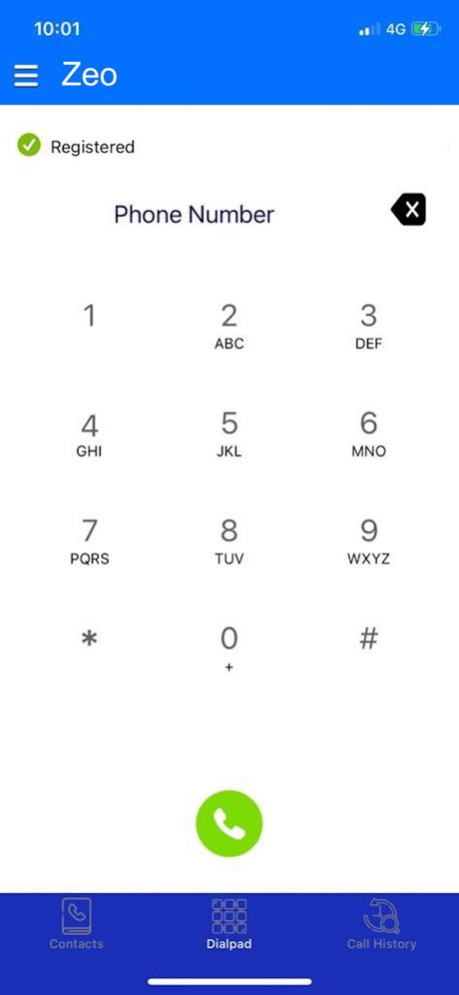
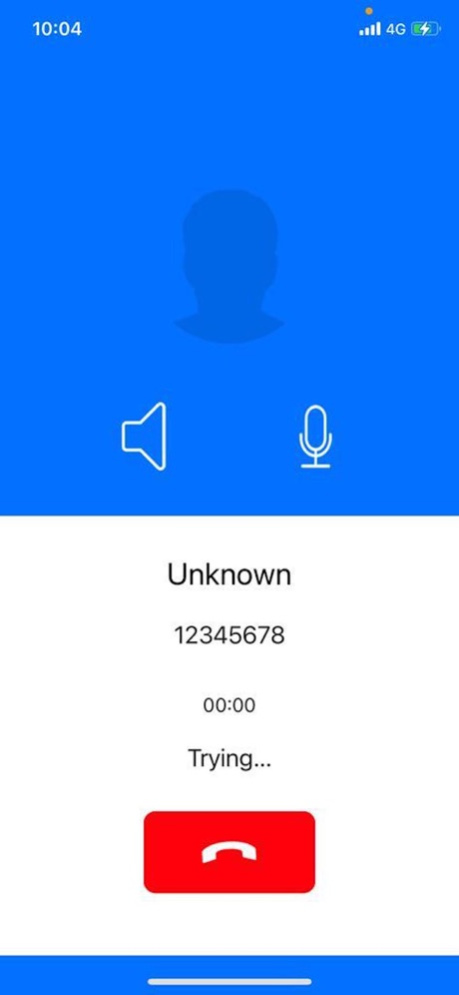
Zeofiying your brand bring you the advantages of latest technology available in the tech world with features of VoIP calls on data enabled mobile phones with 2G/3G/4G or WiFi even in lowest of bandwidth with unlimited Registration on all major mobile OS platform.
Zeo Dialer has capability to run on low band width area and network with maximum voice quality
Zeo Supports all major Codecs and standard SIP RFC.
Zeo is based on Operator code Application.
Zeo Dialer proivdes Real time SIP status.
Zeo Dialer Supports Nat Travesal.
Zeo Dialer is integrated with Address book, call history and CDR.
Zeo Dilaer support standard switch API for balance display and Minutes in text.
Apr 9, 2024
Version 6.0.3
Bug Fixes:
- We've squashed pesky bugs to ensure a smoother and more reliable user experience.
Performance Improvement:
- Enjoy faster and more responsive app performance for an optimized user journey.
Thank you for using our app! If you have any feedback or suggestions, feel free to reach out to us.
About zeo
The company that develops zeo is Loki VPN. The latest version released by its developer is 6.0.3.
To install zeo on your iOS device, just click the green Continue To App button above to start the installation process. The app is listed on our website since 2024-04-09 and was downloaded 0 times. We have already checked if the download link is safe, however for your own protection we recommend that you scan the downloaded app with your antivirus. Your antivirus may detect the zeo as malware if the download link is broken.
How to install zeo on your iOS device:
- Click on the Continue To App button on our website. This will redirect you to the App Store.
- Once the zeo is shown in the iTunes listing of your iOS device, you can start its download and installation. Tap on the GET button to the right of the app to start downloading it.
- If you are not logged-in the iOS appstore app, you'll be prompted for your your Apple ID and/or password.
- After zeo is downloaded, you'll see an INSTALL button to the right. Tap on it to start the actual installation of the iOS app.
- Once installation is finished you can tap on the OPEN button to start it. Its icon will also be added to your device home screen.
Program Details
System requirements
Download information
Pricing
Version History
version 6.0.3
posted on 2024-04-09
Apr 9, 2024
Version 6.0.3
Bug Fixes:
- We've squashed pesky bugs to ensure a smoother and more reliable user experience.
Performance Improvement:
- Enjoy faster and more responsive app performance for an optimized user journey.
Thank you for using our app! If you have any feedback or suggestions, feel free to reach out to us.
version 6.0.2
posted on 2023-12-20
Dec 20, 2023
Version 6.0.2
Bug Fixes:
- We've squashed pesky bugs to ensure a smoother and more reliable user experience.
Performance Improvement:
- Enjoy faster and more responsive app performance for an optimized user journey.
Thank you for using our app! If you have any feedback or suggestions, feel free to reach out to us.
version 6.0
posted on 2023-01-03
Jan 3, 2023
Version 6.0
Bug fixes and Performance improvement.
version 5.9
posted on 2022-05-26
May 26, 2022 Version 5.9
We are constantly working to reinforce so on supply our customers to experience the simplest.
-> Bug fixes
-> Improved Performance & Stability
version 5.8
posted on 2022-04-06
Apr 6, 2022 Version 5.8
We are constantly working to reinforce so on supply our customers to experience the simplest.
-> Improved Performance & Stability
version 5.7.9
posted on 2022-02-12
Feb 12, 2022 Version 5.7.9
Improved Performance & Stability
Bug fixes
version 5.7.8
posted on 2021-12-22
Dec 22, 2021 Version 5.7.8
We're constantly fixing bugs, improving the Performance & Stability
- Bug fixes
version 5.7.7
posted on 2021-09-15
Sep 15, 2021 Version 5.7.7
We're constantly fixing bugs, improving the Performance & Stability
Disclaimer
Official App Store Link
We do not host zeo on our servers. We did not scan it for viruses, adware, spyware or other type of malware. This app is hosted by Apple and passed their terms and conditions to be listed there. We recommend caution when installing it.
The App Store link for zeo is provided to you by apps112.com without any warranties, representations or guarantees of any kind, so access it at your own risk.
If you have questions regarding this particular app contact the publisher directly. For questions about the functionalities of apps112.com contact us.
